Add a traditional Long Term Care product in RetireUp.
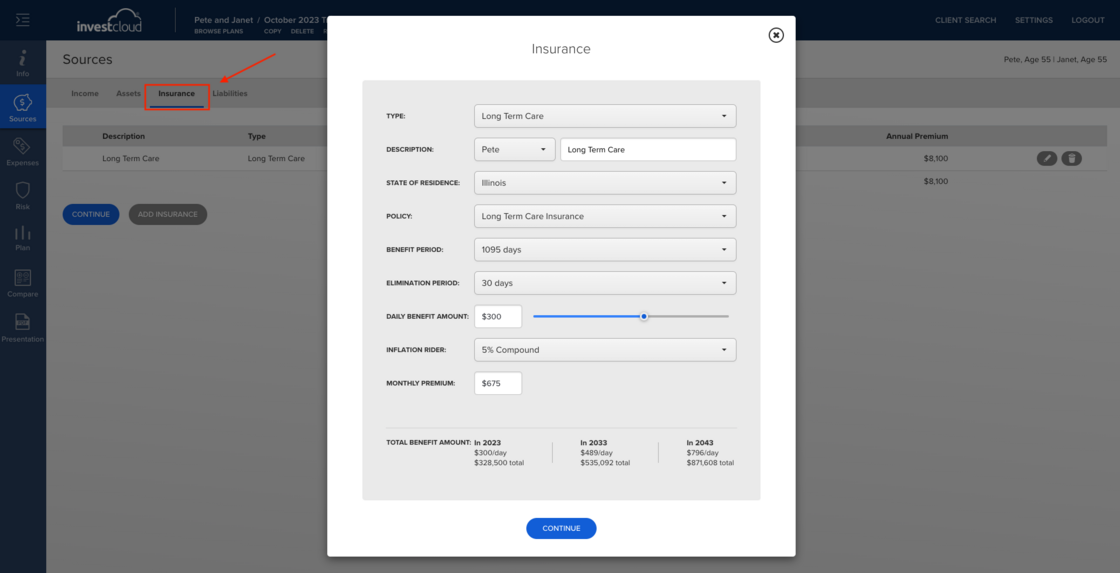
Begin at the sources tab on the left side of the client's plan. Select the Insurance tab at the top. Use the drop downs to complete the insurance plan and continue.
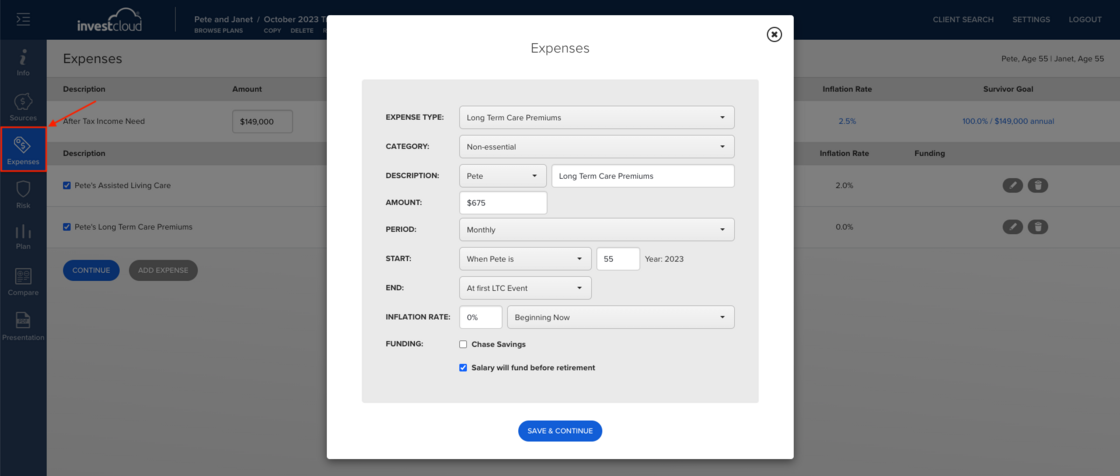
The insurance premiums will automatically be added to the expenses tab and the "salary will fund before retirement" box will be checked. Also notice that the expenses will end at the first LTC event. If the expenses should be funded by a specific non-qualified asset, be sure to uncheck the "salary will fund before retirement" box and check the asset box that will fund the LTC premiums.
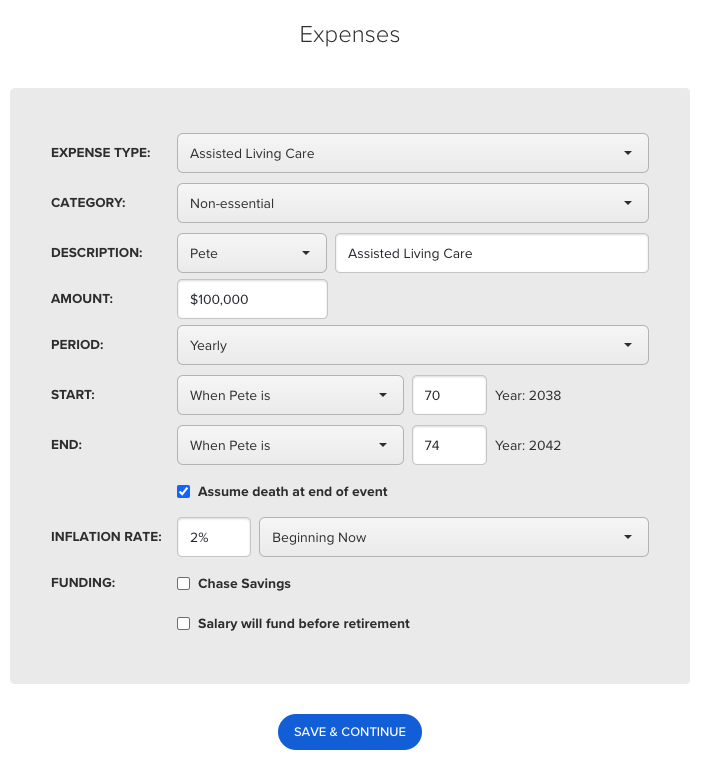
Next you will add a hypothetical LTC event under the expenses tab. You can select In-Home Care, Assisted Living Care, or Facility Care for the LTC event. This example gives Pete a $100,000 LTC benefit with a 2% inflation rider. He will be in a facility for 3 years and then pass. Any of these expense types "In-Home Care, Assisted Living Care, and Facility Care" will automatically be funded first by the LTC insurance plan, as long as a LTC plan is added under the insurance tab.
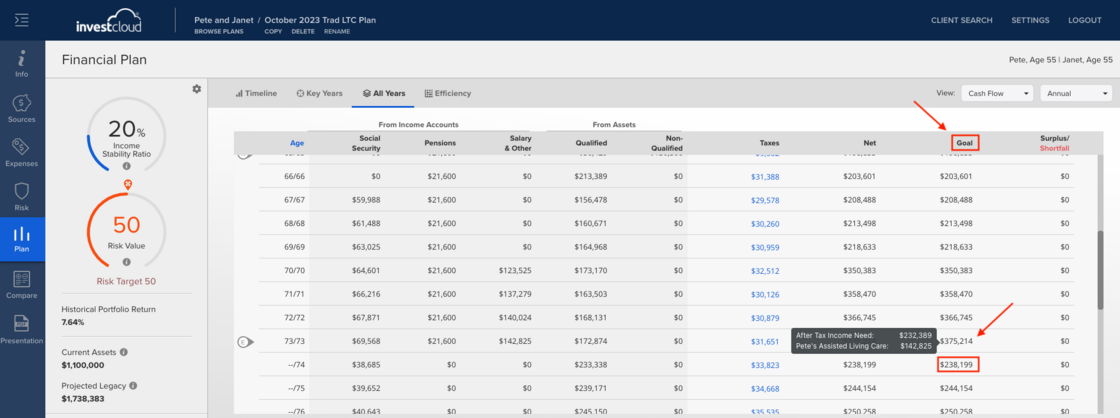
On the plan tab>all years tab>hover your cursor over the last year that he goes into LTC, the goal will be broken down into the various expenses. You can see their after tax income need, as well as the impact of 2% inflation on $100,000 over a 18 year period. The year after he passes (E=end), their expenses drop significantly.
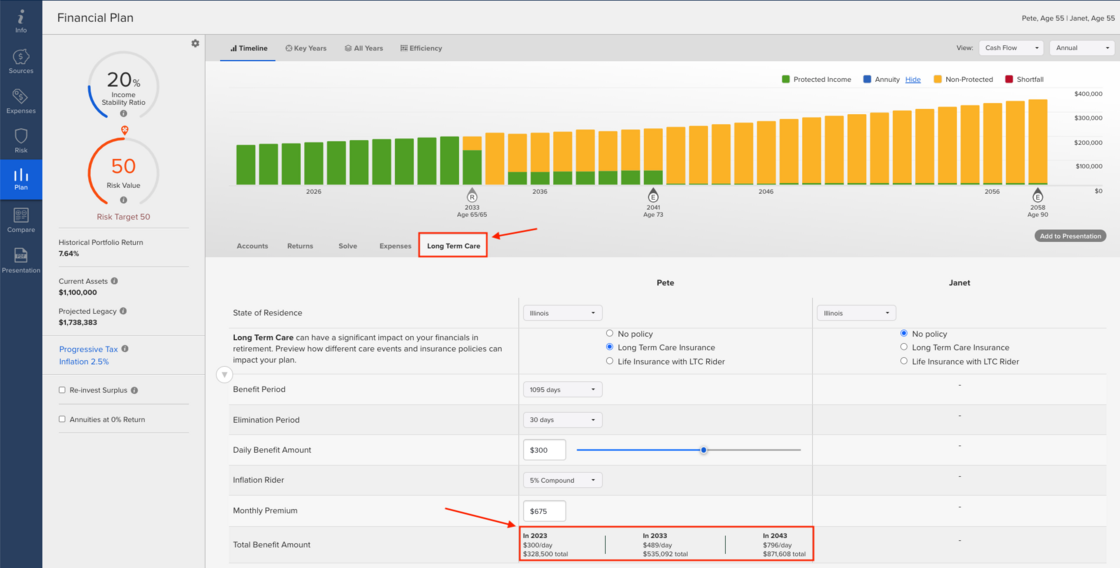
On the plan tab, below the Timeline/Key Years/All Years/Efficiency tabs you can see the Long Term Care tab with the ability to adjust the State of Residence, LTC Policy Type, Benefit Period, Elimination Period, Daily Benefit Amount, Inflation Rider, Monthly Premium, and see the inflated Total Benefit Amount.